1
Post your property video
Keep creating the Instagram Reels and videos you already use to showcase properties.
You already post property videos on Instagram. ListingLink connects the video viewers are watching to the exact property listing on homvo, using a simple reference number.
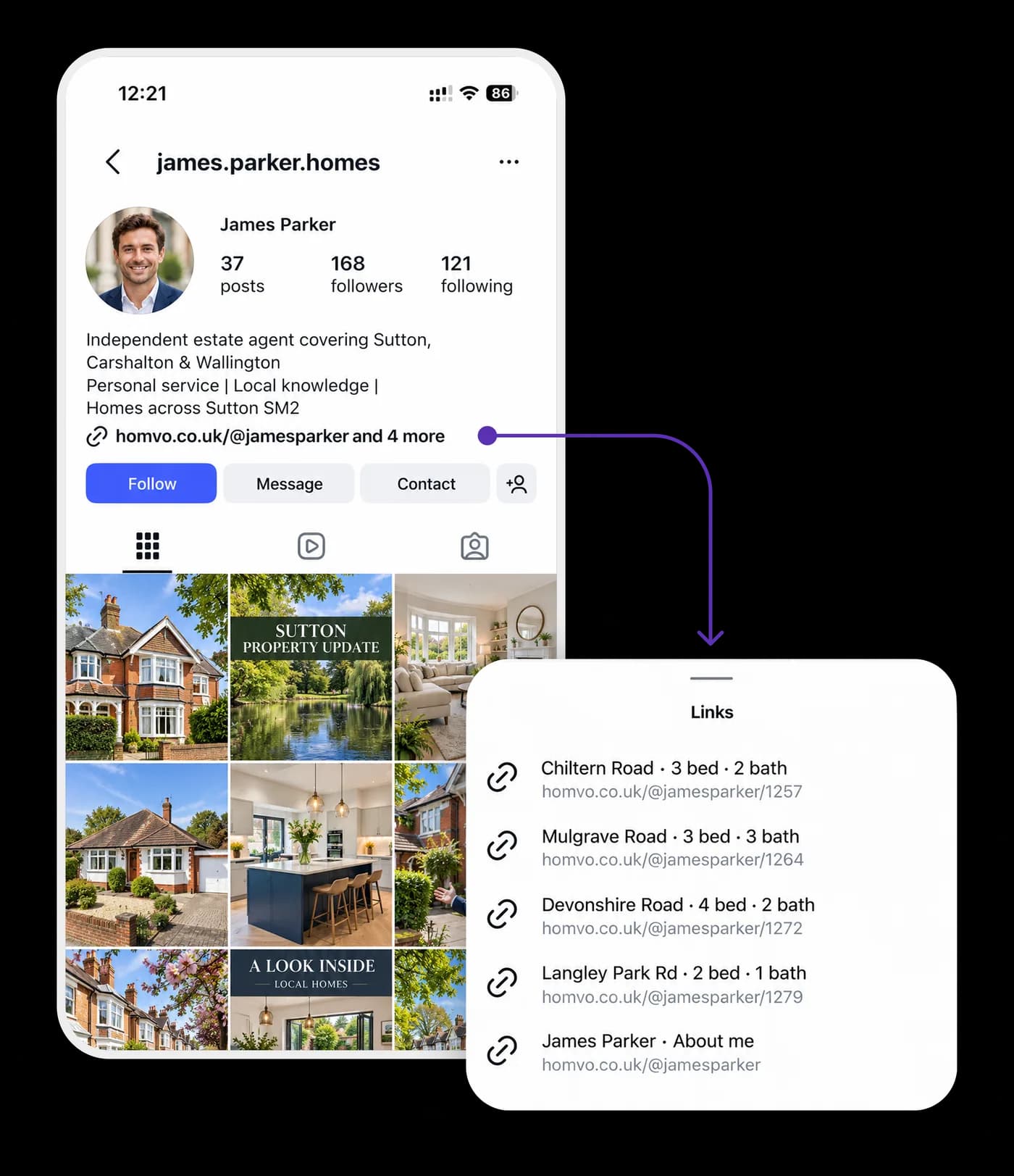
Your Instagram handle, followed by a property reference. References start at 1001 and continue in order.
No need to change the way you create property videos. ListingLink gives each video a clear route to its matching listing.
Keep creating the Instagram Reels and videos you already use to showcase properties.
Add the property's reference number to the video so viewers know which listing it is.
Example: Ref 1273Use your ListingLink on homvo so the reference leads to the correct property, not a list of properties to search through.
When a viewer is interested in a property, they should have a simple way to reach that exact listing. ListingLink connects the reference shown in your video with the corresponding property page on homvo.
That listing brings the property's video together with its photos and details, in one place.
Join homvo as a Free Member and start connecting your Instagram property videos to the right listings. You can explore the wider homvo platform as your needs grow.
Estate agents who promote property videos on Instagram and want a direct connection between a video reference and its matching homvo property listing.
ListingLink is offered through homvo Free Membership. There is no subscription fee for the Free Member offer described on this page.
No. ListingLink is designed to work with your existing property-video activity, adding a direct route from the video reference to the corresponding listing.
Use the Get ListingLink button to continue to the homvo app and complete the Free Member application.
Each of your listings on homvo is given a simple reference number starting from 1001. You show that number in your Instagram video (for example “Ref 1273”). Viewers can then go to your ListingLink (your Instagram handle + the reference) and land on the exact matching listing.
You can show it on-screen in the video, in the caption, or both. Most agents find an on-screen text or sticker works best so people can see it immediately while watching.
They see the reference in your video and go to homvo.co.uk/@yourname/1273 (or whatever your handle and reference are). This takes them straight to that specific property’s page on homvo - not a search results page or a list of all your listings.
No. Keep creating the same Instagram Reels and property videos you already make. ListingLink simply gives each video a clear route to its matching listing.
Once you join as a Free Member, your listings on homvo are automatically assigned sequential reference numbers starting at 1001. You can see and use them from your dashboard.
Yes. Every property gets its own unique reference, so you can promote as many listings as you want and each video will point to the correct one.
ListingLink itself is included with Free Membership. You can explore the wider homvo platform as your needs grow, but the core ListingLink connection described here has no subscription fee.
ListingLink is already included. You don’t need to register for it again - you can start using it with your existing listings straight away.
Join homvo as a Free Member and start using ListingLink for your property videos.
Get ListingLink